Will not power on
Diagnosis can identify whether the problem is related to the battery, charging path, storage or another internal component.
Repair service for the Zune 30, Zune 80/120, Zune 4/8/16 and Zune HD—from batteries and screens to storage, controls, charging and restoration.
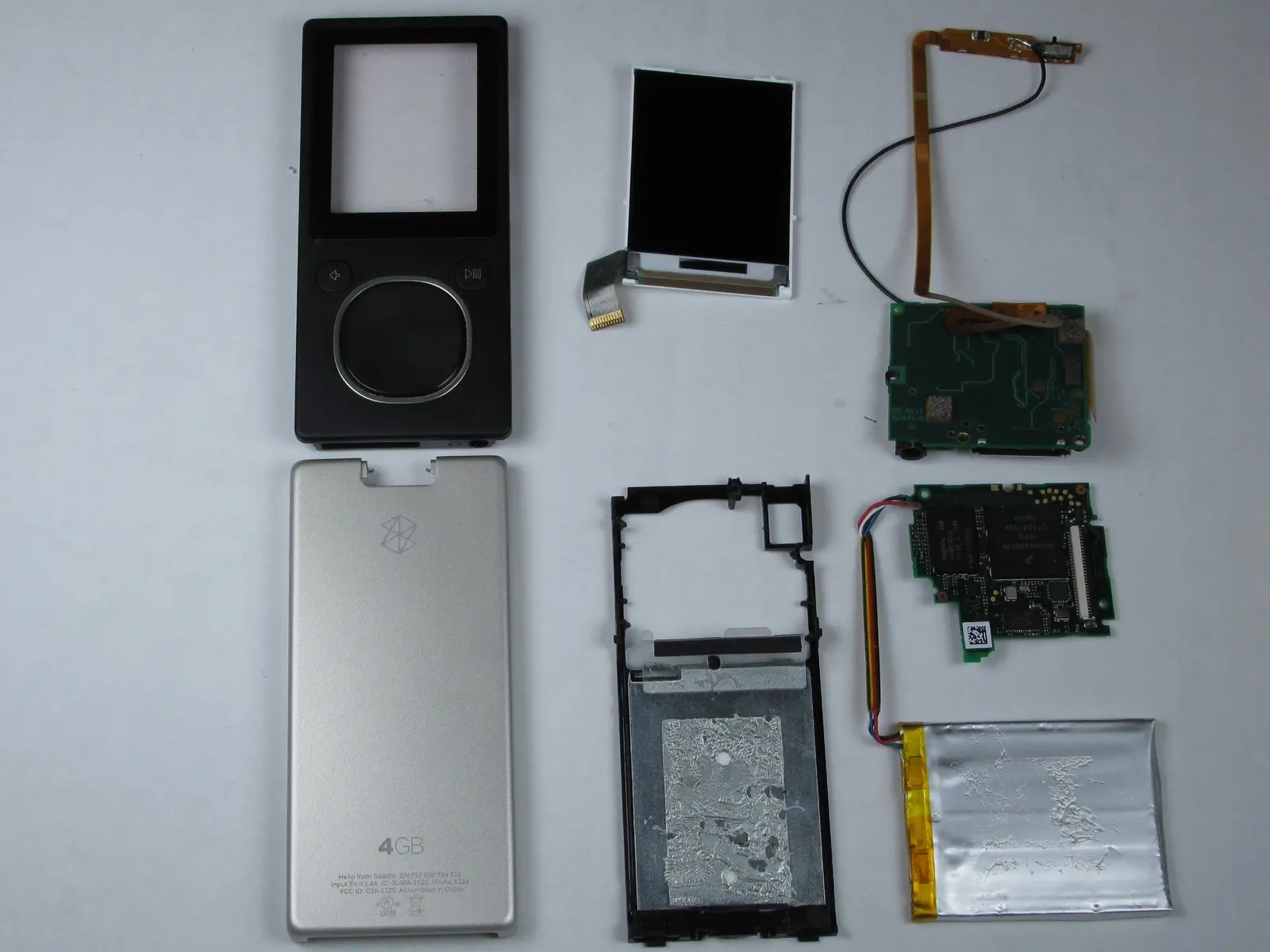
A Zune that will not start is not automatically beyond repair. Battery failure, worn storage, damaged ribbon cables, screens, controls and charging connections can create similar symptoms. The device is inspected before the final work is approved.
Diagnosis can identify whether the problem is related to the battery, charging path, storage or another internal component.
Charging-port, cable and connection problems can be evaluated before a repair price is confirmed.
Mechanical hard drives, ribbon cables and firmware can prevent a Zune from starting normally.
Battery replacement is available for multiple Zune generations, with model-specific options.
Screen, button, control-pad and selected case replacements are offered when compatible parts are available.
Supported software restoration and firmware recovery requests are included at no charge.
Service is based on the model, internal condition and availability of compatible parts. No additional work is performed without approval.
Standard and selected higher-capacity options are available for supported models. Some larger Zune 30 battery upgrades require an SSD conversion.
Replace a failed Zune hard drive or ask about supported storage upgrades. Drive and SSD availability varies by model.
Screen, control-pad, individual button and selected front- or back-case repairs are available while compatible inventory lasts.
Connection problems and internal ZIF ribbon-cable failures can be inspected and repaired when the required part is available.
Supported models include the original Zune 30, Zune 4GB / 8GB / 16GB flash players, Zune 80GB / 120GB and Zune HD. Not sure which model you have? Include a photo with your request.
Tell us the model and what happens when you try to turn it on, charge it or sync it. Your request is reviewed before shipping instructions are provided.